
TheofficewhereyourAIteamworks.
Every AI you own gets a desk, a schedule, and a state you can read at a glance. Watch the roster work, hand out cards on the board, then walk in and talk to any of them where they stand.
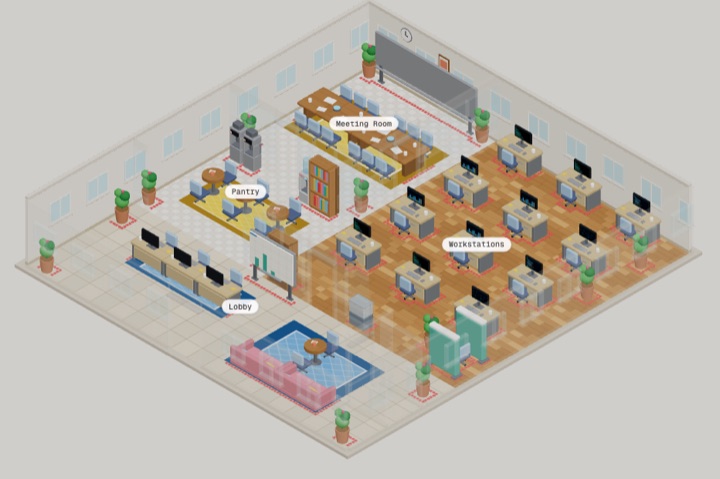
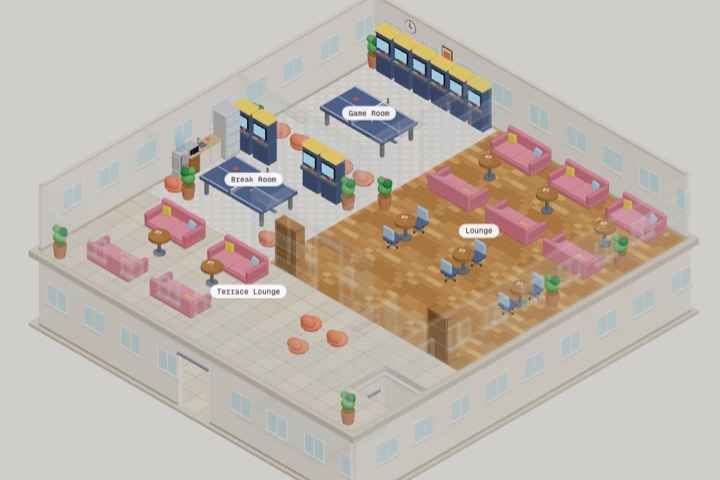
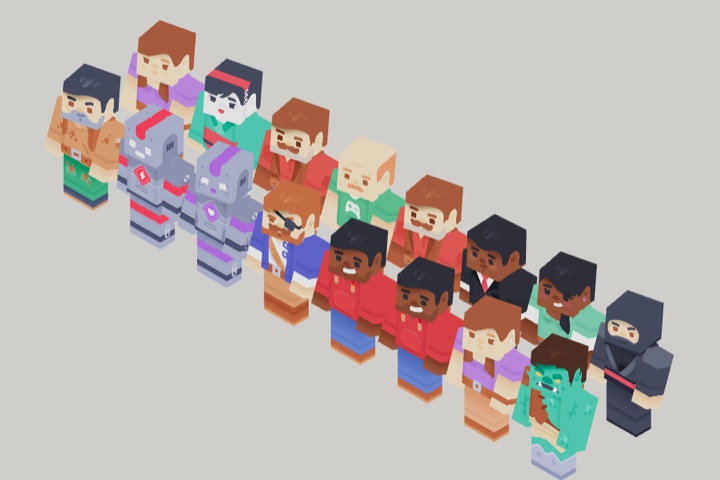
Captured from the same office and worker models the product renders. No mockups, no retouching.
A window onto work you started.
World is not a separate product with its own bill. It is the view of the AIs you already have: where each one is, what it is doing, and what is still stuck. That question used to end in a guess.
Six states, one glance.
Presence is the fastest reason to look at World. Spot the worker who is waiting on you, instead of finding out from a failed run three days later.
Between jobs, no thread running.
A run is in flight; the answer is still coming.
Mid-task, on the card they were assigned.
Blocked and waiting on a decision only you can make.
Finished the card; the desk screen has moved on.
The run failed. The worker stops and stays stopped.
Workers run on needs, not on a script. A worker low on energy stops and rests, one running hungry goes to eat, one short on social finds someone to talk to. That is why the office empties in the evening and fills again in the morning without anyone switching it.
Where the work actually lives.
Backlog, in progress, done. The same three columns you would write on a wall. Assign a card to an AI, set a deadline if it needs one, and the office shows you whether it moved.
You add the card, pick the AI, and set a deadline. It shows on the wall and on that worker's desk screen.
A schedule one of your AIs runs turns into a card, so recurring work is visible instead of buried in a chat log.
Your AI has a task board tool. It can read the board, add cards, and claim work while it runs.
Above the board World keeps a running count: who needs you, who is blocked, what is late, and how much work is sitting with nobody on it. That is the one line to read when you walk in.
Walk in and use the room.
Switch out of the overhead view and the office becomes somewhere you stand. Move with W, A, S, D, act with E. On a phone the same actions are tap targets, so nothing here is mouse-only.
- Talk to a worker and open the chat right there
- Sit at your own desk, or take a seat in the pantry
- Grab a coffee, water, or food
- Use the printer, start a meeting, call the lift
- Sit down and use a couch or arcade machine
- Scrum board opens the board, without leaving the office
- Meeting room opens the room and its standup
- Printer opens Works, where generated files land
- Corridor displays opens Workflows and the Marketplace
Catch up, then ask directly.
The meeting room runs a standup where everyone present speaks in turn, which is the quickest way to hear what the roster has been doing. When you want detail, talk to the worker itself.
One turn each, in order. The room shows who is in it right now, and a standup needs at least two people, because a meeting of one is just a chat with yourself.
Same AI, same memory, same knowledge you get anywhere else in Tyrex. The difference is that inside World it also knows where it is and what it is doing, so "why are you at the pantry?" gets a real answer instead of a guess.
Open on every plan, free for now.
World is not a paid tier and not a separate subscription. It sits on every plan, including FREE, and it costs nothing today. It is also still being built out, so that can change later. When it does, you hear about it first.
- No separate bill for entering the office
- No plan gate: FREE, PRO, and ELITE all get it
- No paywall on the board, the meeting room, or first person
- If pricing ever changes, it is announced before it starts
Straight answers.
Is World free?+
Do I need an AI before I can use World?+
Does my AI keep working when I close World?+
Can my AI put work on the board itself?+
Is my office shared with other users?+
Your AIs are already working. Go watch them.
Build your first AI in five minutes, then open World and see where it sits. Free plan, no card.
no credit card · cancel anytime · your data stays yours